V2sub 2.0.2 Last Updated: 2026-10-14
Video Hardsubbing & Audio Muxing Studio Guide
Guide to V2sub 2.0 Video Muxing Studio: live font preview, color/opacity controls, background box masking, 1% vertical position slider, and batch templates.
V2sub 2.0 Video Muxing Studio
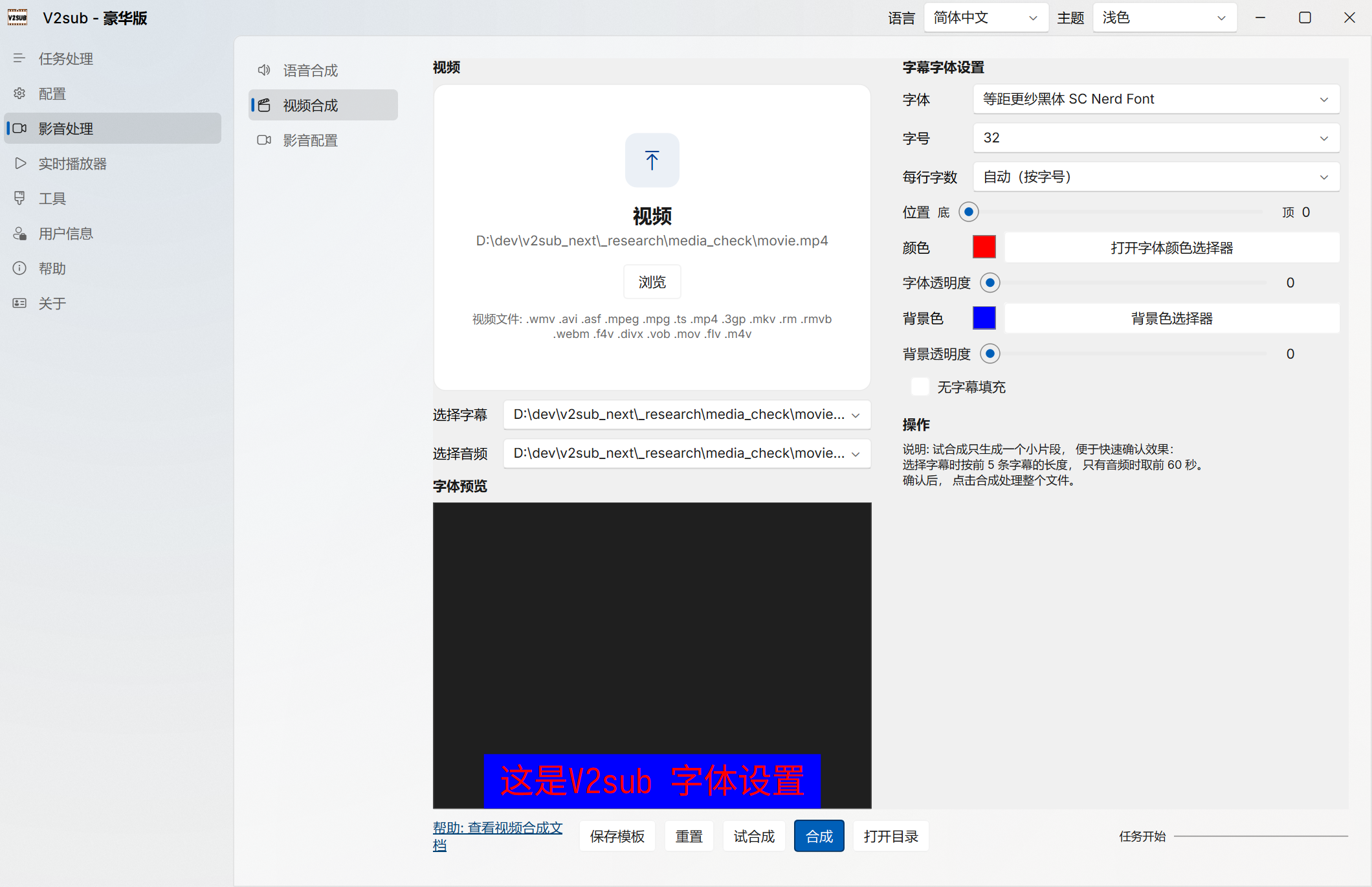
Open Media Synthesis → Video Synthesis (Ultra Edition) to combine your source video, subtitles (monolingual or bilingual), and AI voiceover audio into a ready-to-publish MP4 video with NVIDIA CUDA hardware encoding (2–3x faster).
Key Features & Controls
- Auto File Matching: Dragging a video into the studio automatically loads matching subtitle (
.srt/_merge.srt) and audio (.mp3) files from the same folder. - Real-Time Style Preview: Instantly preview system fonts, font size, max characters per line (up to 80), text color/opacity, and background box color/opacity.
- 1% Precision Vertical Position & Hardsub Masking: Adjust vertical placement with 1% granularity—combine with an opaque background box to cleanly cover existing burned-in subtitles on the source video.
- Trial Mux (Quick Preview): Render a short clip in seconds to verify styling before encoding a full-length movie.
- Save as Template: Save your styling preset so the main Task Queue can automatically mux batches of videos unattended.