
V2sub 2.0.2 Last Updated: 2026-10-14
Subtitle Configuration Guide (Bilingual, AI Segmentation & Karaoke)
Configure subtitle output in V2sub 2.0: bilingual line order, Simplified/Traditional Chinese, AI sentence segmentation, max line length, and Karaoke mode.
V2sub 2.0 Subtitle Configuration
Open Config → Subtitle Config to customize how subtitles are formatted, merged, and segmented:
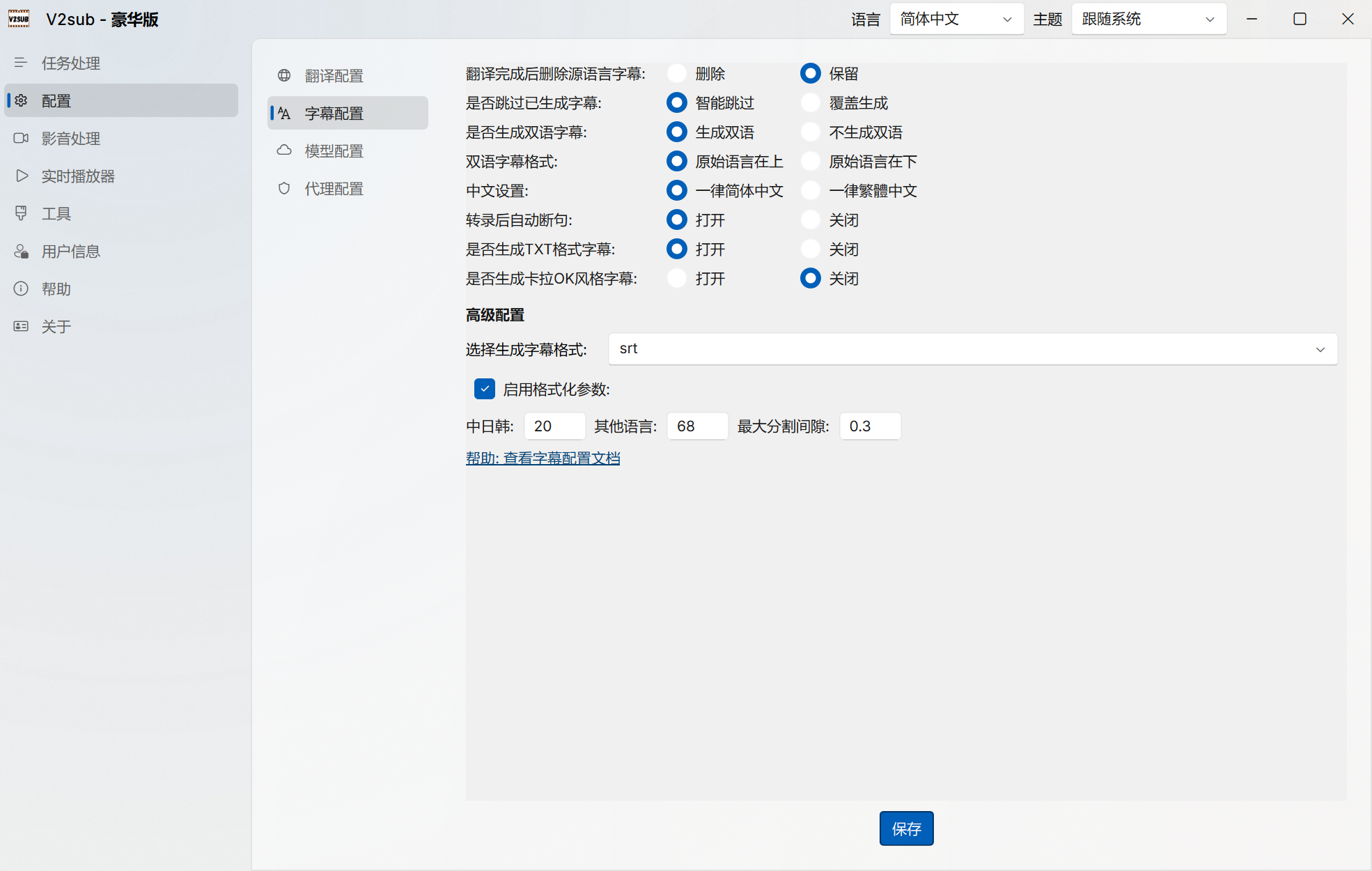
Configuration Options
- Keep or Delete Source Subtitle After Translation: Keep both
video.srt(source) andvideo_zh.srt(translated), or replace the source file so media players auto-load the translated track. - Smart Skip Existing Subtitles: Automatically skip already-processed videos during folder batch jobs, or force overwrite.
- Bilingual Subtitle Generation (
_merge.srt): Enable bilingual output and choose whether the Source Language is on Top or Translated Language is on Top. - Chinese Script Variant: Enforce Simplified Chinese or Traditional Chinese across all generated subtitles and transcripts.
- Subtitle Output Formats (Max+): Choose between
SRT,VTT, andASS, plus optional plain-textTXTtranscript generation. - AI Sentence Segmentation (Ultra Exclusive): Neural sentence segmentation model for English, Chinese, Japanese, and Korean that splits long sentences at natural grammatical boundaries.
- Max Characters Per Line & Karaoke Mode (Ultra Exclusive): Fine-tune maximum line width for CJK/Latin scripts and generate
kala.srtword-by-word karaoke highlight subtitles.