
V2sub 2.0.2 Last Updated: 2026-10-14
Whisper Model & Hardware Acceleration Config
Detailed guide to V2sub 2.0 Model Configuration: GPU vs CPU compute selection, Full-Speed CPU mode, Special Optimization, Protected Mode, and Model Manager.
V2sub 2.0 Model Configuration Overview
Navigate to Config → Model Config in the left sidebar to configure compute devices, anti-hallucination parameters, and manage offline Whisper models:
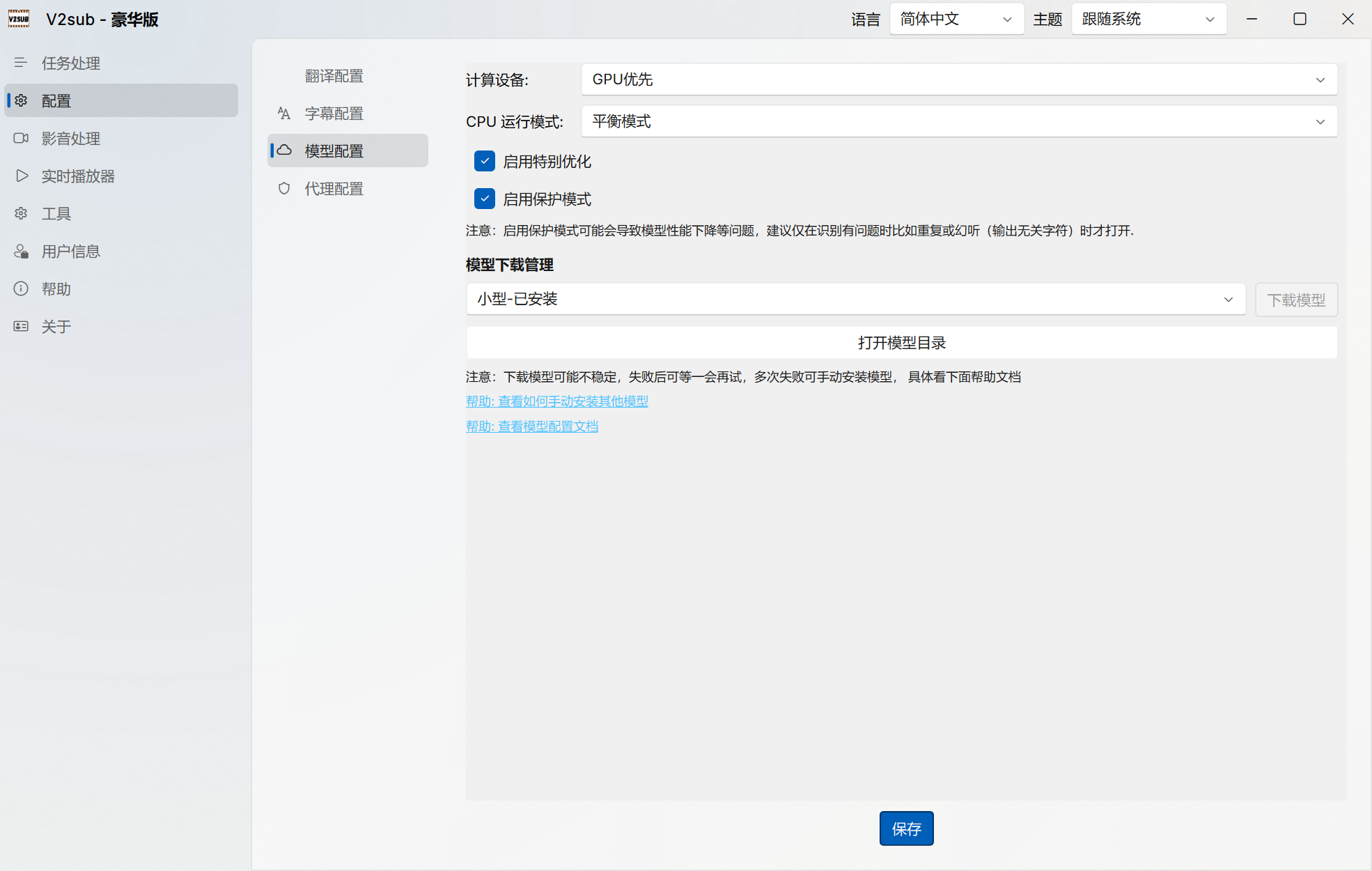
Configuration Options Explained
- Compute Device:
- GPU Preferred (Default): Automatically uses NVIDIA CUDA acceleration when a compatible GPU is detected, or falls back to CPU.
- Force CPU: Forces CPU inference even if a GPU is present—useful when your GPU has limited VRAM (e.g., 4GB) but you still want to run the
large-v3model using system RAM.
- CPU Execution Mode (Pro+):
- Balanced Mode: Uses ~50% CPU threads so your system remains responsive for other tasks.
- Full-Speed Mode: Allocates ~90% CPU threads, boosting CPU transcription speed by 30%–50%.
- Special Optimization (Max+): Tuned Whisper decoding parameters tested across hundreds of challenging videos to prevent repetition during noisy or silent passages.
- Protected Mode (Max+): Runs inference in isolated anti-hallucination mode. Recommended when a specific video suffers from severe Whisper looping or hallucinations.
- Model Manager & Open Model Directory: Download any of the 6 models with one click (with instant hot-reload in v2.0.2) or open the local
modelsfolder for manual installation.