V2sub 2.0.2 Last Updated: 2026-10-14
Network Proxy Configuration Guide
When and how to configure HTTP/SOCKS proxy settings in V2sub 2.0 for Google Translate, OpenAI official API, Gemini, and Claude.
When Do You Need a Proxy?
- No Proxy Needed (Direct Connection in China):
- All offline Whisper speech recognition models
- Default (Microsoft) Translator
- DeepSeek, SiliconFlow, Moonshot (Kimi), Volcengine, Zhipu AI, Local LLMs (Ollama), and DeepL
- ChatGPT with V2sub Auto-Domain
- Proxy Required (if located in mainland China):
- Google Translator
- OpenAI Official Endpoint (
api.openai.com), Gemini, and Claude
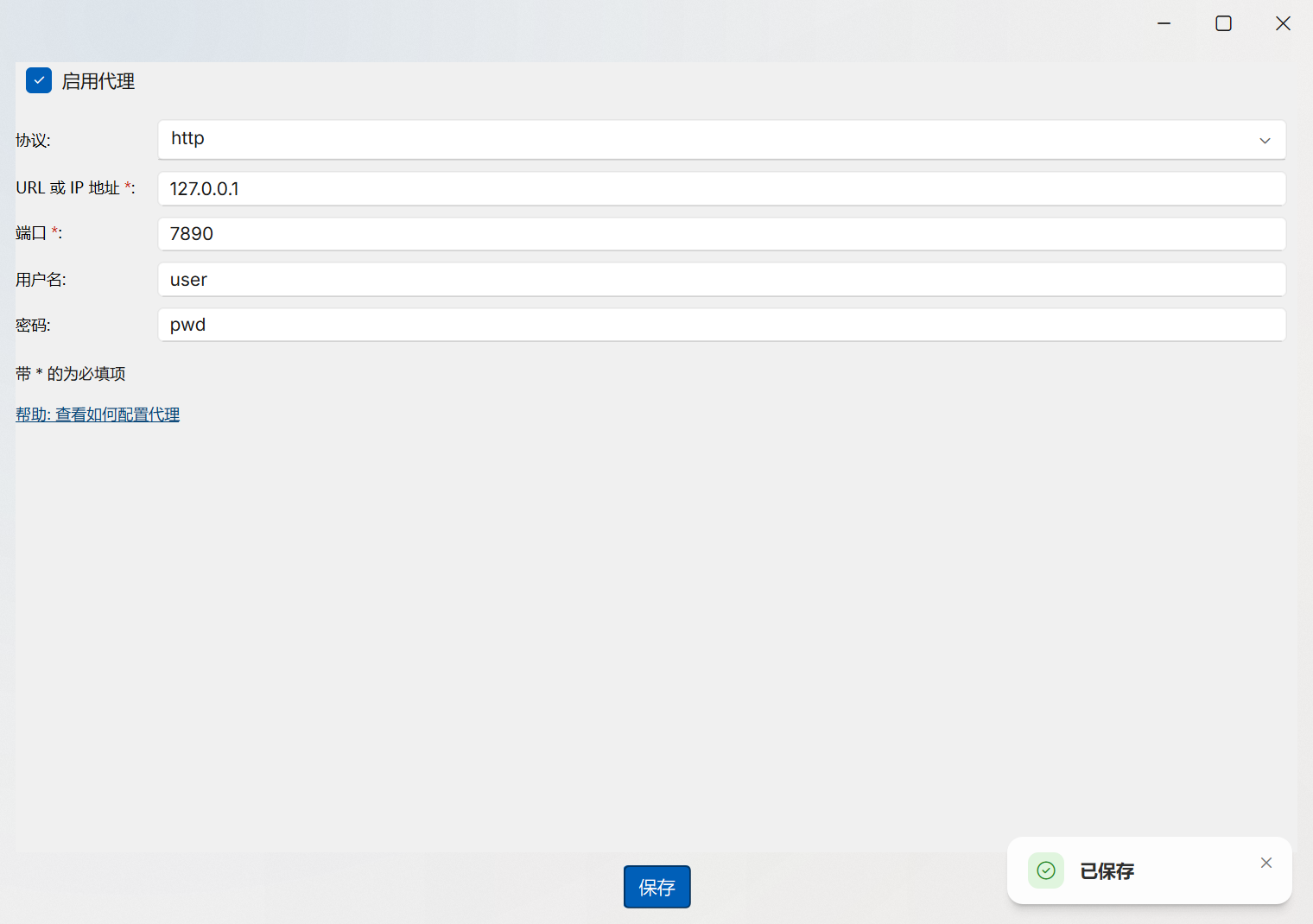
Configuring Proxy in V2sub 2.0
- Open Config → Proxy Config in the left sidebar.
- Enable the proxy toggle and enter your local HTTP proxy URL (for example,
http://127.0.0.1:7890). - Click Save, then test your translator connection in Config → Translator Config using the Test API button.