
V2sub 2.0.2 Last Updated: 2026-10-14
Whisper Model Download, Installation & Selection Guide
How to download Whisper models directly inside V2sub 2.0 or install offline packages manually, plus hardware requirements for all 6 models.
Why Install Whisper Models?
V2sub performs speech recognition 100% locally on your computer. Because neural ASR models range from 500 MB to 3 GB, they are downloaded separately from the core installer. You only need to install a model once—future software updates will reuse your installed models.
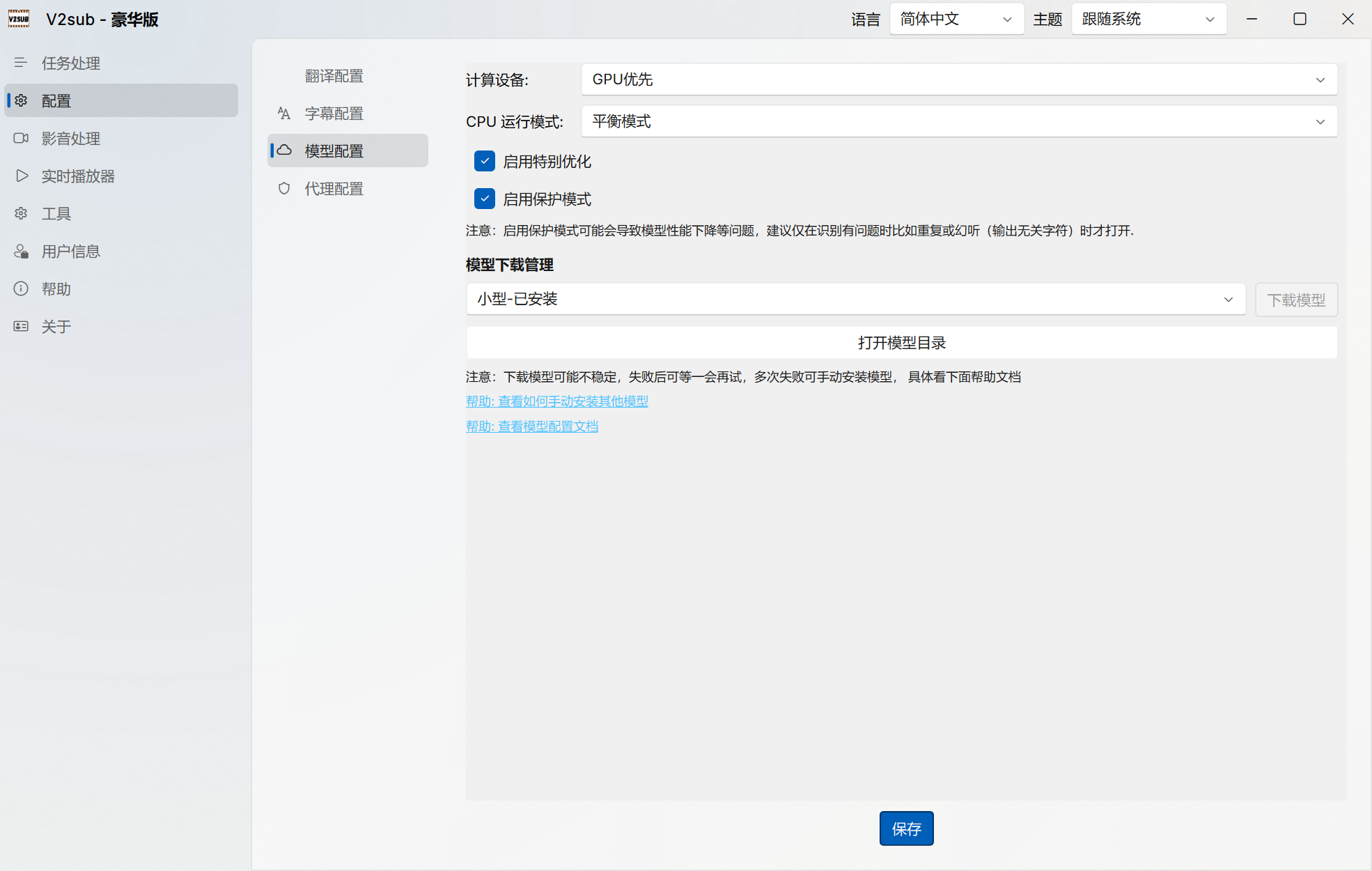
Method 1: One-Click In-App Download (Recommended)
- Open V2sub 2.0 and navigate to Config → Model Config.
- In the Model Management table, click Download next to the model you want (
small,medium,large, orlarge-turbo). - New in v2.0.2: Once a download finishes, the model dropdown in both Task Queue and Real-Time Player refreshes immediately without restarting the app!
Method 2: Manual Offline Installation from Cloud Drive
- Download the model archive (
.zip) from the模型下载 (Models)folder in our Cloud Drives. - Extract the archive so you have a single folder (e.g.,
small,medium,large) containingmodel.bindirectly inside it. - In V2sub Config → Model Config, click Open Model Directory and copy the extracted folder into the
modelsdirectory.